There is an uncomfortable moment almost everyone hits the first time they automate WhatsApp: the dashboard says the message was sent, the API returned 200, there is a message id, and the customer swears nothing arrived.
It is not a bug in your integration. It is the 24-hour window, and it is worth understanding before you build anything on top of it.
The WhatsApp 24-hour window is a crucial element of business messaging strategy. It dictates that businesses can only send free-form messages within 24 hours of receiving a message from a customer. This rule ensures that communication remains relevant and timely, but it also poses challenges for businesses trying to maintain engagement.
Understanding this window is essential for optimizing customer interactions. Businesses must navigate the restrictions on message types and approval processes for templates when the window closes. By the end of this article, you'll have a clear understanding of how to effectively manage WhatsApp communications within these constraints, ensuring compliance and enhancing customer satisfaction.
Why the 24-hour window exists and what it costs to miss it
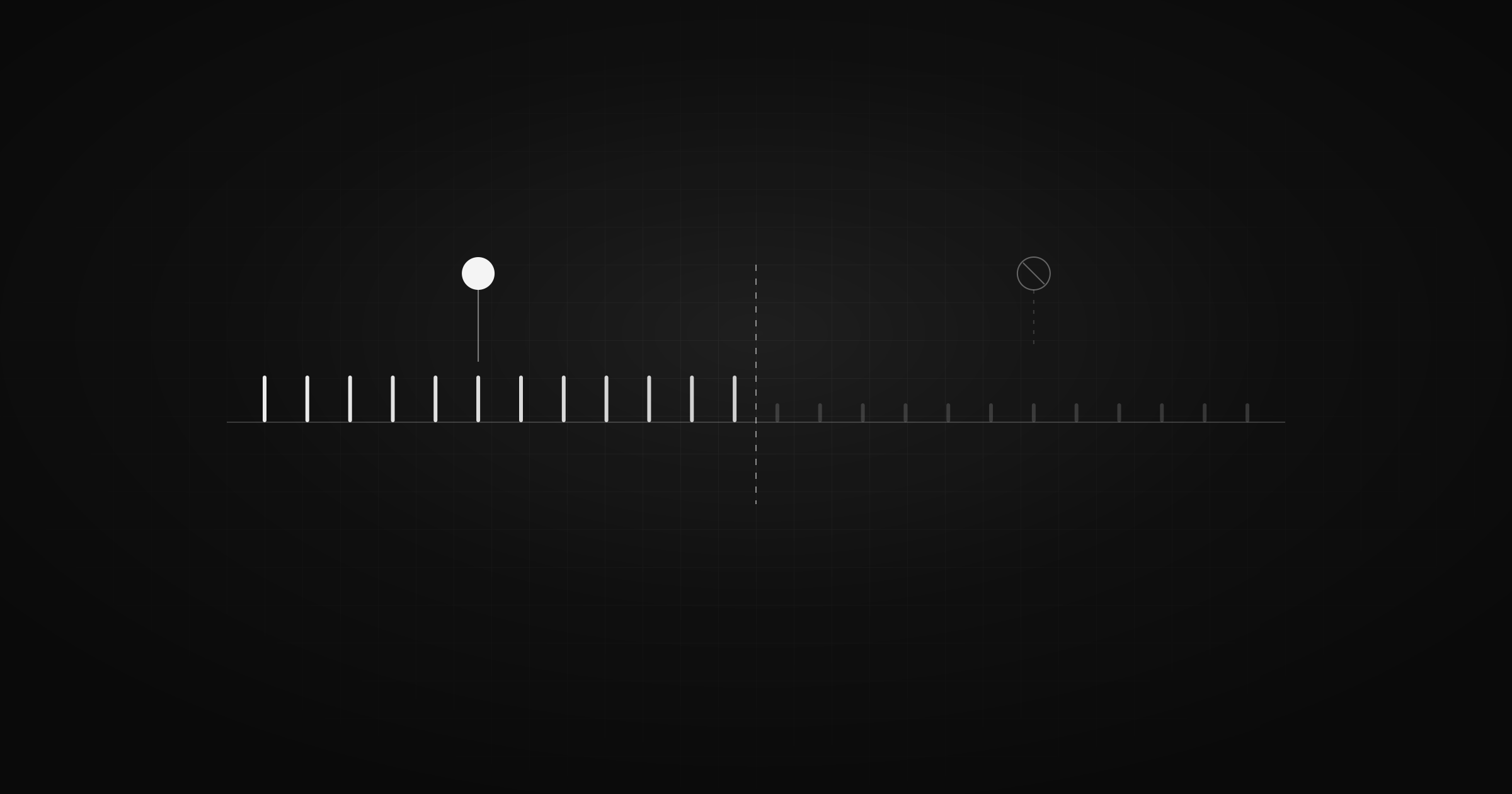
The 24-hour window in WhatsApp's business messaging is designed to maintain the relevance and timeliness of communications. This policy ensures that businesses engage with customers in a way that feels personal and immediate. Within this period, businesses can send free-form messages without restrictions, allowing for a natural flow of conversation. However, once the window closes, the dynamics change significantly.
The Purpose of the 24-Hour Window
The primary rationale for the 24-hour window is to prevent spam and ensure that businesses only engage with customers who have shown interest. By requiring a customer-initiated message to open the window, WhatsApp creates a user-centric environment where interactions are based on genuine customer interest. According to Meta's official documentation, this approach helps maintain a high-quality user experience by reducing unsolicited messages.
Implications of Missing the Window
Missing the 24-hour window requires businesses to use pre-approved message templates, as outlined by Meta. This shift impacts how businesses plan their response strategies and manage customer interactions. Templates must be designed and approved in advance, which can introduce delays and limit the flexibility of responses.
Here's a comparison of messaging strategies inside and outside the 24-hour window:
| Aspect | Inside 24-Hour Window | Outside 24-Hour Window |
|---|---|---|
| Message Type | Free-form | Pre-approved templates |
| Flexibility | High | Limited |
| Approval Requirement | None | Required |
| Response Time | Immediate | Potentially delayed due to approval process |
| Customer Experience | Personal and timely | More formal and structured |
Strategic Considerations
For businesses, understanding the cost of missing the window is crucial. It affects how quickly they can respond to customer inquiries and the nature of their communications. Pre-approved templates, while necessary, can feel less personal and may not address the specific needs of a customer as effectively as a free-form message.
Moreover, businesses must invest time in creating a library of templates that cover various scenarios. This preparation is essential to ensure that when the window closes, they can still engage effectively. However, this approach requires foresight and an understanding of common customer queries and interactions.
To optimize communication strategies, businesses should focus on encouraging customer engagement that keeps the window open. This might involve prompting customers to initiate contact or designing interactions that naturally lead to customer responses. By doing so, businesses can maintain the flexibility of free-form messaging and enhance customer satisfaction.
In summary, the 24-hour window is a critical component of WhatsApp's messaging strategy. It balances user experience with business needs, but missing it necessitates a shift to more structured communication. Understanding and planning for this transition is key to maintaining effective customer interactions. For further insights on managing WhatsApp API error codes, see our article on WhatsApp API error codes you will actually hit.
Template, service or marketing message: which one applies
Understanding the types of messages you can send through WhatsApp Business is vital for aligning your communication strategy with WhatsApp's policies. Each message type has specific conditions under which it can be used, and knowing these can help you navigate the 24-hour window effectively.
Service Messages
Service messages are those that provide necessary information related to a transaction or customer inquiry. Within the 24-hour window, businesses can send these as free-form messages without needing pre-approval. This flexibility allows for real-time interaction and enhances customer satisfaction by addressing immediate concerns or requests.
For example, if a customer asks about the status of their order, you can respond directly with the relevant details. This immediacy is crucial for maintaining a positive customer experience and ensuring that interactions feel personal and relevant.
Marketing Messages
Marketing messages, on the other hand, require more careful handling. Outside the 24-hour window, these messages must use pre-approved templates. According to Meta's guidelines, this ensures that all marketing communications are compliant with WhatsApp's standards and reduce the risk of spam.
Templates for marketing messages must be crafted carefully to align with your campaign goals while adhering to WhatsApp's approval process. This means planning your marketing strategy well in advance and anticipating the types of messages you might need to send.
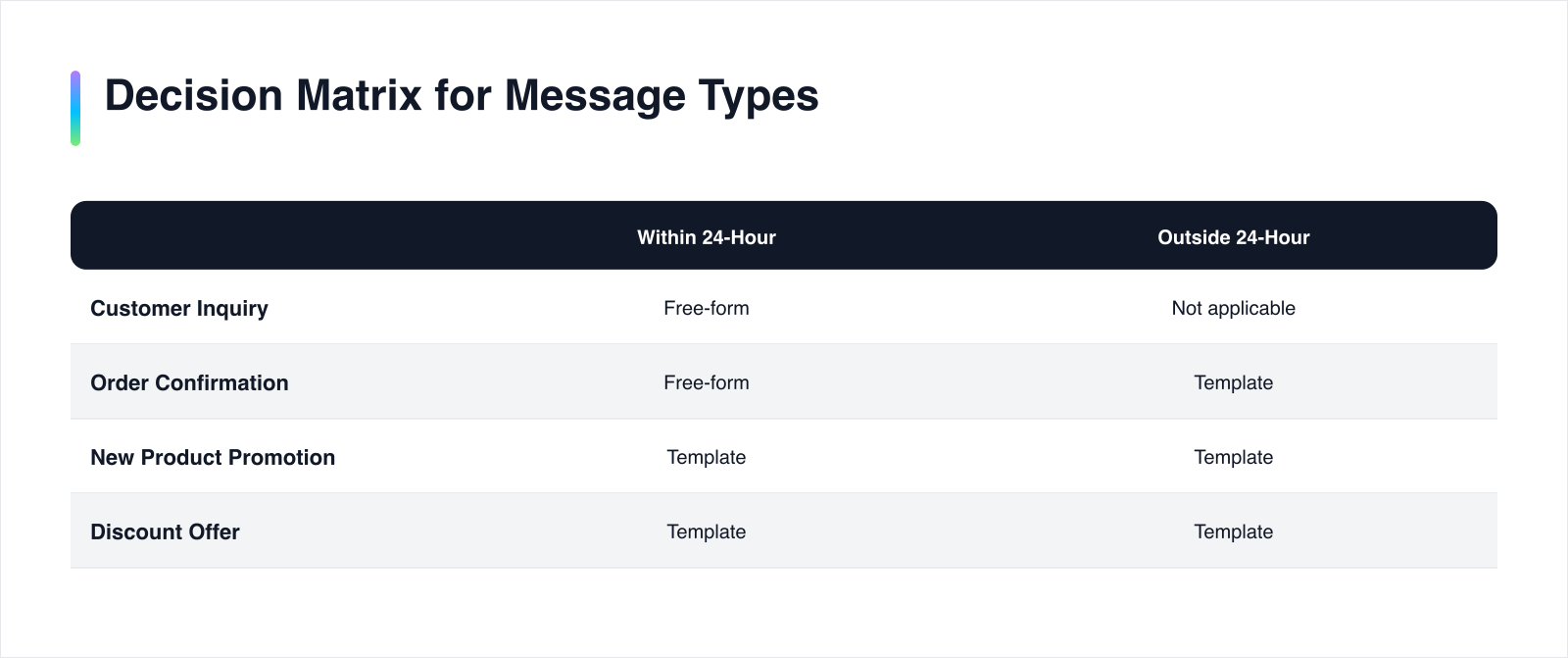
Decision Matrix for Message Types
Understanding when to use each message type can be simplified with a decision matrix. This helps businesses decide the appropriate message format based on the situation:
| Scenario | Within 24-Hour Window | Outside 24-Hour Window |
|---|---|---|
| Responding to a customer inquiry | Free-form message | Not applicable |
| Sending order confirmations | Free-form message | Requires template |
| Promoting a new product | Requires template | Requires template |
| Offering a discount | Requires template | Requires template |
This matrix illustrates that while service messages can be sent freely within the window, marketing messages always require a template, regardless of timing. This distinction is crucial for businesses to maintain compliance and avoid unnecessary delays.
Strategic Implications
The requirement for templates outside the 24-hour window can impact how businesses plan their communication strategies. It necessitates foresight and preparation, particularly for marketing campaigns. Businesses must develop a library of templates that cover various promotional scenarios, ensuring readiness when the window closes.
Moreover, understanding these distinctions allows businesses to optimize their interactions by encouraging customer-initiated messages. This strategy not only extends the 24-hour window but also allows for more personalized and timely communication.
knowing when and how to use each type of message is essential for using WhatsApp as an effective communication tool. By aligning your messaging strategy with these guidelines, you can enhance customer engagement and ensure that your communications are both compliant and impactful. For more on handling WhatsApp API errors, see our article on WhatsApp API error codes you will actually hit.
A 4-question test before you automate a follow-up
Automating follow-ups on WhatsApp requires careful consideration to ensure compliance with the platform's rules and to maintain an effective communication strategy. Before proceeding with automation, businesses should evaluate their approach using a four-question test. This framework helps determine the viability of automation within the constraints of the 24-hour window and the availability of pre-approved templates.
1. Is the Customer Within the 24-Hour Window?
The first and most critical question is whether the customer is still within the 24-hour window. This window is opened by a message from the customer and resets with each new message they send, as noted by Kapso. If the customer is within this timeframe, businesses can send free-form messages without restrictions, allowing for more personalized and immediate interactions.
2. Is a Pre-Approved Template Available?
If the 24-hour window has closed, businesses must use a pre-approved template to communicate. Templates are necessary for any message sent outside the window, as per Meta's guidelines. Ensuring that a relevant template is available and approved in advance is crucial for maintaining communication flow without delays.
3. What Type of Message Is Being Sent?
Understanding the nature of the message is essential. Service messages, which address customer inquiries or transactional information, can be sent freely within the window. However, marketing messages always require a pre-approved template, regardless of timing. This distinction guides businesses in selecting the appropriate message format.
4. Is the Follow-Up Aligned with Customer Engagement Strategies?
Finally, consider whether the follow-up aligns with broader customer engagement strategies. Encouraging customer-initiated messages can extend the 24-hour window, allowing for more flexible communication. Designing interactions that naturally lead to customer responses helps maintain the window's openness and enhances engagement.
Here's a simple checklist to guide your decision-making process:
| Question | Yes/No | Action Required |
|---|---|---|
| Is the customer within the 24-hour window? | Yes | Proceed with free-form message |
| No | Use a pre-approved template | |
| Is a pre-approved template available? | Yes | Prepare to use the template |
| No | Develop and submit necessary templates for approval | |
| What type of message is being sent? | Service | Free-form within window, template outside |
| Marketing | Template required at all times | |
| Is the follow-up aligned with engagement strategy? | Yes | Proceed with customer-centric approach |
| No | Reassess strategy to encourage customer interaction |
This checklist provides a structured approach to evaluating whether automation is appropriate and how to implement it effectively. By addressing these questions, businesses can ensure compliance with WhatsApp's policies while optimizing their communication strategies.
Implementing this framework allows businesses to navigate the complexities of WhatsApp's messaging rules with confidence. For further insights on managing potential errors, see our article on WhatsApp API error codes you will actually hit.
Decoding WhatsApp Error Codes: 131047 and Beyond
Understanding WhatsApp error codes is essential for maintaining smooth communication and troubleshooting issues effectively. Two common error codes that businesses encounter are 131047 and 131008. Each code provides specific insights into messaging constraints and helps guide corrective actions.
Error Code 131047: The 24-Hour Window Has Closed
Error code 131047 signifies that the 24-hour window for free-form messaging has closed. This occurs when more than 24 hours have passed since the customer's last message, as confirmed by Meta's documentation. When this error arises, businesses must pivot to using pre-approved message templates to continue communication.
The closing of the 24-hour window necessitates a shift in strategy. Businesses should ensure they have a library of approved templates ready to deploy when needed. This preparation helps maintain engagement without interruption, although it requires foresight and planning.
Error Code 131008: Template Issues
Error code 131008 is related to issues with message templates, particularly when a template containing a dynamic URL button is sent without the required value. This error highlights the importance of ensuring all dynamic elements within a template are correctly populated before sending. Failure to do so results in the message being rejected and necessitates a review of the template setup.
Templates must be meticulously crafted and tested to avoid such errors. Businesses should verify that all placeholders are correctly filled and that the template aligns with WhatsApp's guidelines. Regular audits of template usage and structure can prevent these errors from disrupting communication.
Common WhatsApp Error Codes Table
To facilitate quick reference and troubleshooting, here is a table summarizing common WhatsApp error codes and their meanings:
| Error Code | Description | Action Required |
|---|---|---|
| 131047 | 24-hour window closed; requires pre-approved template | Use an approved template for further messages |
| 131008 | Template error; dynamic URL button missing value | Ensure all template placeholders are filled |
| 200 | Message accepted, not delivered | Await delivery confirmation via webhook |
Understanding these error codes and their implications allows businesses to manage their WhatsApp communications more effectively. By proactively addressing potential issues and preparing for common errors, businesses can enhance their messaging strategies and maintain smooth customer interactions.
For more insights into handling WhatsApp API errors, see our article on WhatsApp API error codes you will actually hit.
Strategies for managing the 24-hour window effectively
To optimize communication within WhatsApp's 24-hour window, businesses must employ strategic methods that enhance engagement and streamline processes. Two key strategies involve using customer data to predict engagement times and automating template approvals.
Use Customer Data to Predict Engagement Times
Predicting when customers are most likely to engage can significantly enhance the effectiveness of your messaging strategy. By analyzing historical interaction data, businesses can identify patterns in customer behavior. For instance, if data reveals that most customers respond in the late afternoon, scheduling messages during this period can increase the likelihood of interaction, keeping the 24-hour window open.
Implementing predictive analytics tools can aid in identifying these patterns. By segmenting customers based on their engagement history, businesses can tailor their communication strategies to align with customer preferences. This not only optimizes the timing of messages but also enhances the relevance of interactions, fostering a more personalized customer experience.
Automate Template Approvals to Streamline Communication
Automating the template approval process is crucial for maintaining smooth communication, especially when the 24-hour window closes. Pre-approved templates are necessary for sending messages outside this window, as highlighted by Ciarem. Automating this process can reduce delays and ensure that templates are ready for immediate use.
To implement this strategy, businesses should follow a structured approach:
Workflow
-
1
Step
Detail
-
2
1
Identify frequent communication scenarios requiring templates.
-
3
2
Develop a library of templates covering these scenarios.
-
4
3
Submit templates for approval well in advance.
-
5
4
Use automation tools to track approval status and update templates as needed.
-
6
5
Regularly review and optimize templates based on customer feedback and engagement metrics.
This method ensures that businesses are prepared to maintain communication flow even when the 24-hour window closes. By automating approvals, companies can focus on crafting effective messages rather than handling administrative hurdles.
Comparison of Strategies
Here's a comparison of the two strategies to help businesses decide which to prioritize:
| Strategy | Benefit | Implementation Complexity |
|---|---|---|
| Predicting Engagement Times | Enhances message relevance and timeliness | Moderate |
| Automating Template Approvals | Reduces delays and ensures readiness | High |
Both strategies offer distinct advantages. Predicting engagement times enhances interaction quality, while automating approvals ensures compliance and readiness. Businesses should evaluate their specific needs and resources to determine which strategy aligns best with their overall communication goals.
By integrating these strategies, businesses can effectively manage the 24-hour window, ensuring timely and relevant interactions with customers. For more insights on managing WhatsApp API errors, see our article on WhatsApp API error codes you will actually hit.
Conclusion: handling WhatsApp's 24-hour window
Understanding the intricacies of WhatsApp's 24-hour window is essential for businesses aiming to optimize their communication strategies. This window ensures that interactions remain timely and relevant, but it also imposes specific constraints that require careful planning. Companies must balance the flexibility of free-form messaging with the necessity of pre-approved templates outside the window. This involves preparing a comprehensive library of templates and using customer data to predict engagement, ensuring that communication remains effective and compliant.
Strategically, businesses should focus on encouraging customer-initiated messages to maximize the window's benefits. This approach not only maintains the flow of conversation but also enhances the personalization of interactions. By aligning messaging strategies with these guidelines, companies can improve customer satisfaction and operational efficiency.
For those looking to integrate these strategies smoothly into their operations, considering an AI-native CRM like Komplian can be beneficial. It supports these workflows and ensures that your communication remains agile and responsive. For further insights into handling potential errors, see our article on WhatsApp API error codes you will actually hit.
Sources & Further Reading
- Meta. "WhatsApp Business API: Messaging" (2026-07-15). https://developers.facebook.com/docs/whatsapp/api/messages
- Meta. "WhatsApp Business API: Error Codes" (2026-07-15). https://developers.facebook.com/docs/whatsapp/api/errors
- Meta. "WhatsApp Business API: Message Templates" (2026-07-15). https://developers.facebook.com/docs/whatsapp/api/message-templates
- Kapso. "WhatsApp's 24-hour customer service window, explained for developers" (2026-06-06). https://kapso.com/blog/whatsapp-24-hour-rule-service-window
- Ciarem. "The WhatsApp 24-Hour Window, Explained (with an Example)" (2026-07-03). https://www.ciarem.ai/blog/whatsapp-24-hour-window